Local comes first.
Bookmarks, saved logins, sessions and history work locally. The extension contains no advertising SDK or usage-analytics telemetry.
A little space. Just for you.
Keep bookmarks, private Incognito logins and browsing sessions in a password-protected home for Chrome. Suspend unused tabs to save RAM.
Free local features. No account needed to get started.

Less browser chaos
From a quick bookmark to a whole workspace,
keep your next visit within reach.
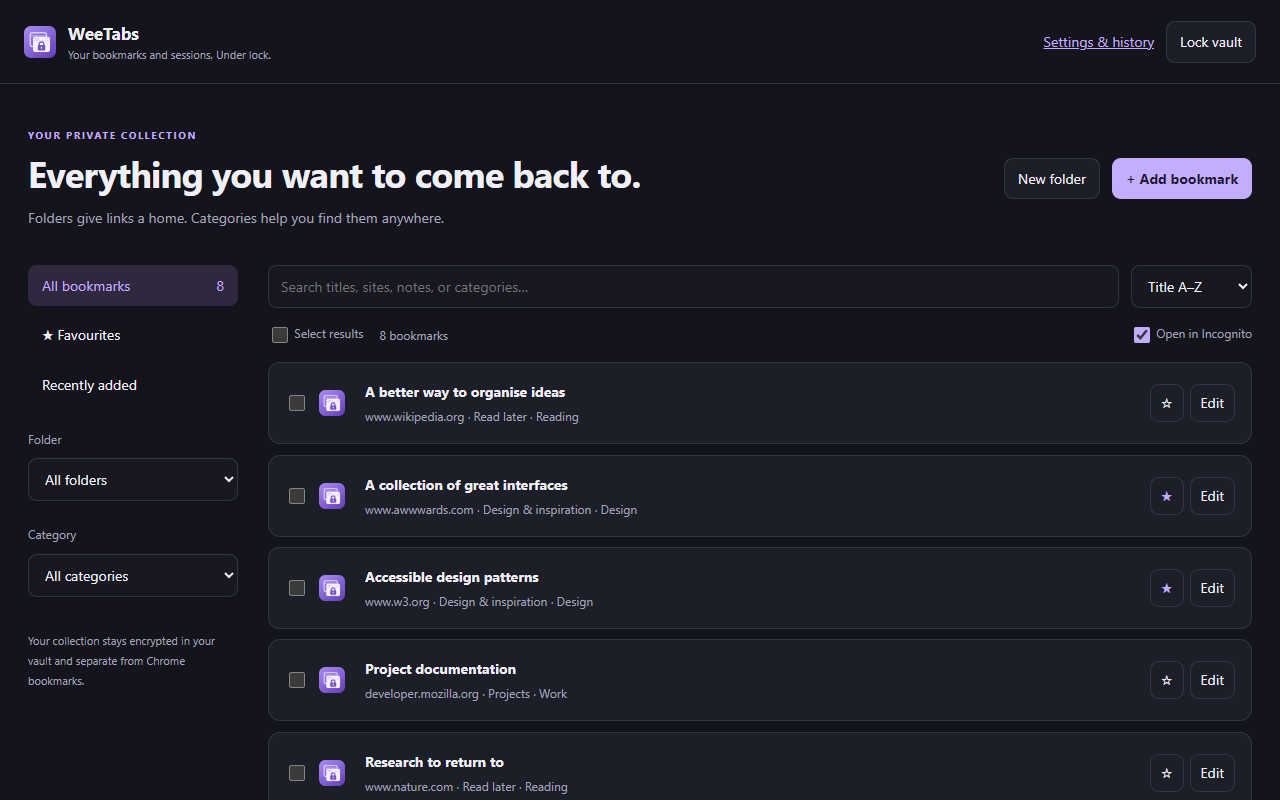
Build a separate collection inside your vault. Use folders, categories, notes and favourites to make it yours. Search it all from a side panel or the full library.
Vault bookmarks stay separate from Chrome’s ordinary bookmarks. Existing Chrome bookmarks and browsing suggestions are unaffected.
Actual extension screens, shown with example data.
A private corner of your browser
WeeTabs keeps your collection in an encrypted vault in your browser profile. Unlock it with your password when you need it.
Read the full privacy policyBookmarks, saved logins, sessions and history work locally. The extension contains no advertising SDK or usage-analytics telemetry.
Your vault password is not sent to our server. Keep an encrypted file backup: a forgotten password cannot be recovered.
Normal and Incognito history have separate controls. Setup asks you to confirm your choices; enabled recording continues while locked. Saved Incognito history stays after private windows close.
Keep it simple
Start with the local features.
Choose cloud backup only if you need it.
All local features are permanently free, without a subscription.
Choose bookmarks, saved sessions, normal or Incognito history and passwords for encrypted cloud backup. Restore from up to five versions when you need to recover your saved data. US$9.99/year, billed annually, or US$1.99/month.
Only bookmarks are selected initially. Extra categories, including passwords and Incognito history, require separate confirmation. Backups upload while unlocked, with a 14 MiB encrypted limit per version. Active Pro access and the version’s password are required to restore. This is versioned backup, rather than live device synchronisation.
Explore it in WeeTabsA one-time tip helps support WeeTabs. Completely optional.
WeeTabs keeps its collection in a separate password-protected vault. Its saved links aren’t added to Chrome’s ordinary bookmark collection unless you explicitly export and import them there. Chrome’s existing bookmarks, history and address-bar suggestions continue to work independently.
With “Allow in Incognito” enabled in Chrome, WeeTabs can save encrypted checkpoints of private windows. Setup preselects both modes and asks you to confirm or change your choices. Enabled recording continues while locked. Incognito checkpoints have their own tab and recording switch, and remain saved after you close private windows until you delete them or retention pruning removes them.
Bulk opening and session restore use paused local placeholders by default. Destination pages load when you select their tabs in a focused window. You can choose immediate loading in Settings. Paused URLs are part of open browser-tab metadata, outside the encrypted vault.
Manual suspension stops the page, including playing media. It can lose unsaved forms and the tab’s Back/Forward history. “Suspend all” preserves the active tab in each window. Optional automatic idle suspension is off by default, protects active and playing tabs, and supports a site whitelist.
No. Your password isn’t sent to us, and a forgotten vault password cannot be recovered. Keep an encrypted file backup outside your browser profile. Removing the extension, deleting the profile or losing the device can remove local data.
Not yet. Version 2.1.0 is available here as a developer preview with manual installation instructions. A Chrome Web Store link will be added when the listing is published.
A little more room to breathe
Try WeeTabs 2.1.0 for Chrome 114 or later.
Download developer previewManual installation required · Chrome Web Store listing coming soon
chrome://extensions in Chrome and turn on Developer mode.manifest.json.Preview builds can contain bugs. Keep an encrypted backup of anything important before updating. Local history is enabled by default, including while the vault is locked.